Tap & Go merchants
Tap & Go is a prepaid mobile payment service that can be used throughout Mastercard® and UnionPay network. Shoppers can now "Go QR". They can settle payment simply by tapping their smartphones or scanning the merchant's QR code to pay.

Tips: Don't forget to tell the staff you are paying by Tap & Go Mastercard card or Tap & Go UnionPay card.

Add Tap & Go Mastercard to Apple Wallet* or Google Pay*, you can settle payment simply by tapping your smartphone! Check out merchants who support Mastercard contactless now!
Add Tap & Go UnionPay to Apple Wallet* or open QR code page on Tap & Go, you can settle payment simply by tapping your smartphone, let merchant scan your QR code, or scanning merchants' QR code. Remember to select the appropriate QR code based on your location! Check out merchants who support UnionPay Mobile Quickpass and UnionPay QR Code!
*Apple Pay compatible with Tap & Go’s virtual Mastercard card and UnionPay card; Google Pay only compatible with Tap & Go’s virtual Mastercard card.

When you see this logo, open Tap & Go mobile wallet and tap "Pay". Then tap "Scan to Pay" and scan on the merchant's QR code to settle the payment.

When you see Tap & Go logo, open Tap & Go mobile wallet and tap "Pay". Then tap "Show QR" and show the QR code to the cashier to settle the payment.
Supported merchants:





















Pay by Tap & Go
If you see Tap & Go  or FPS logo
  at payment counters of merchants (including physical stores and online shops),
that means you can pay by scanning QR code with your Tap & Go wallet.
Guide to pay by QR code
Method 1
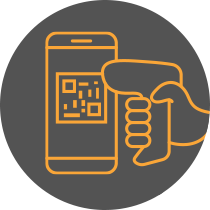
Show QR code
To pay at selected merchants, open Tap & Go mobile wallet and tap "Pay". Then tap "Show QR" and show the QR code to the cashier. The QR code will be automatically refreshed every 30 seconds to ensure security. The payment is completed after scanning the QR code.
Method 2
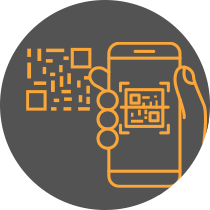
Scan QR code
Open Tap & Go mobile wallet and tap "Pay". Then tap "Scan to Pay" and scan on the merchant's QR code, input the transaction amount and PIN. Tap "Confirm" to complete the payment.
Support: