How to top up
Instant top up via banks* 24/7 under FPS

Top up anytime and anywhere with FPS! Simply register your Tap & Go account with FPS and set it as your default mobile wallet to make real-time transfers!
*The corresponding bank has to support FPS simultaneously.1. Register FPS
Applicable to Lite+, Plus(i), Plus(ii) and Pro account types

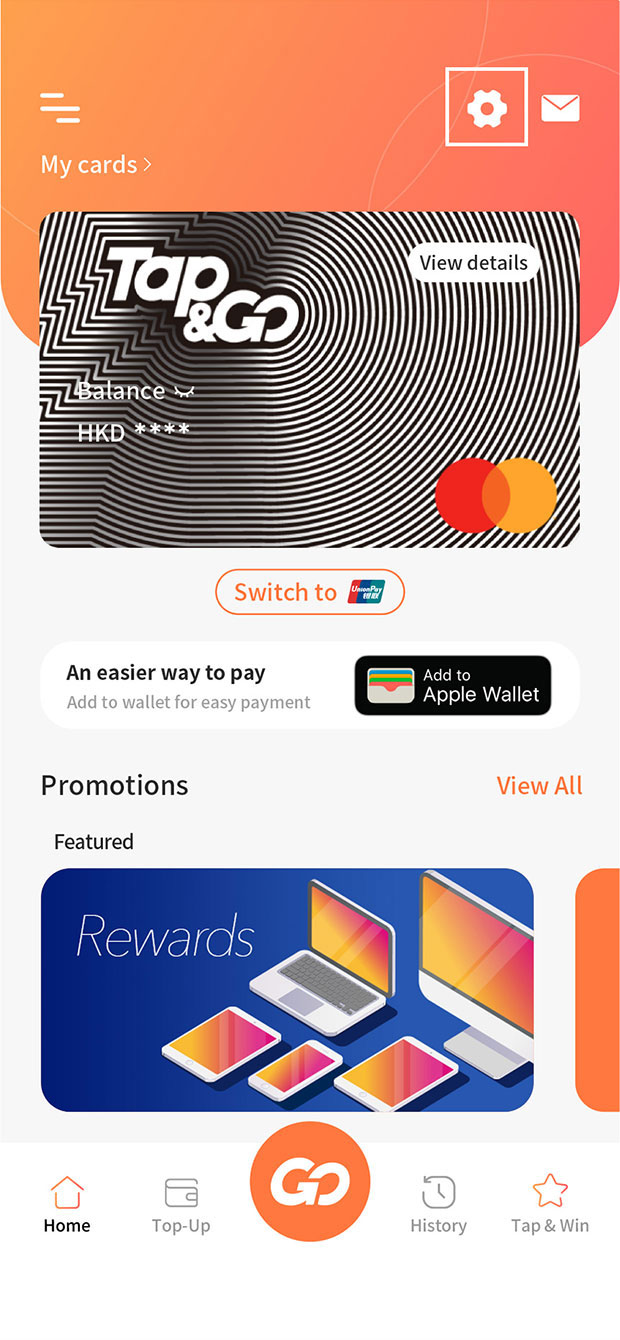
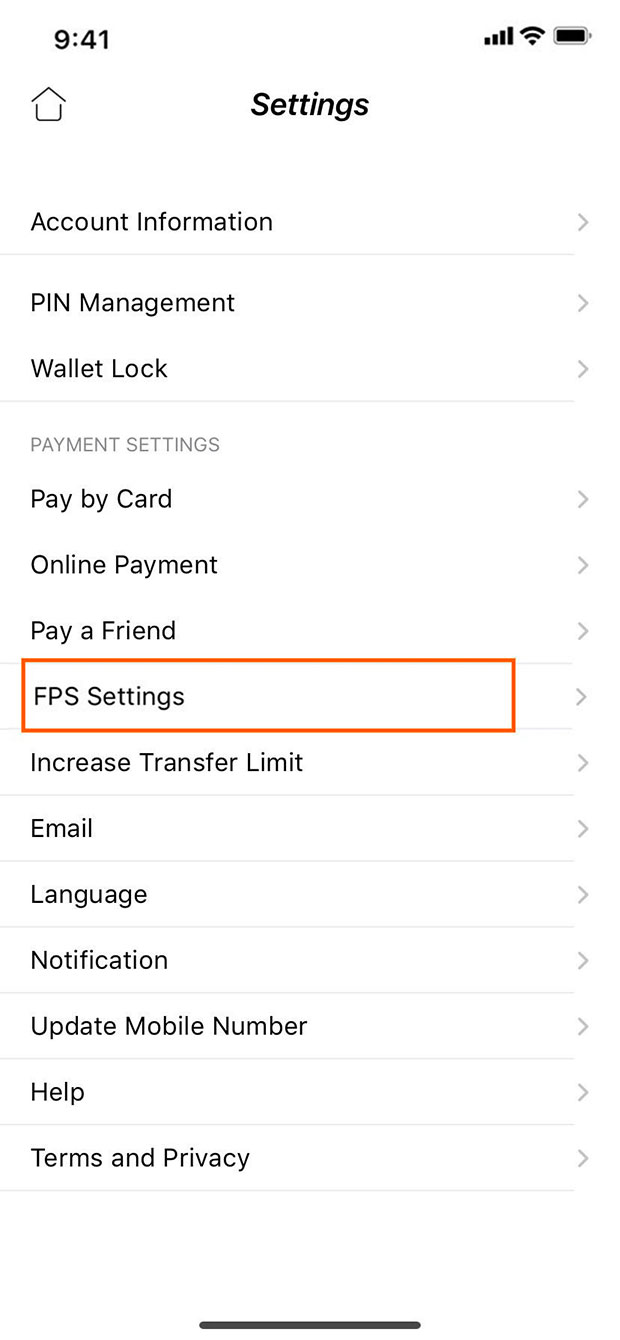
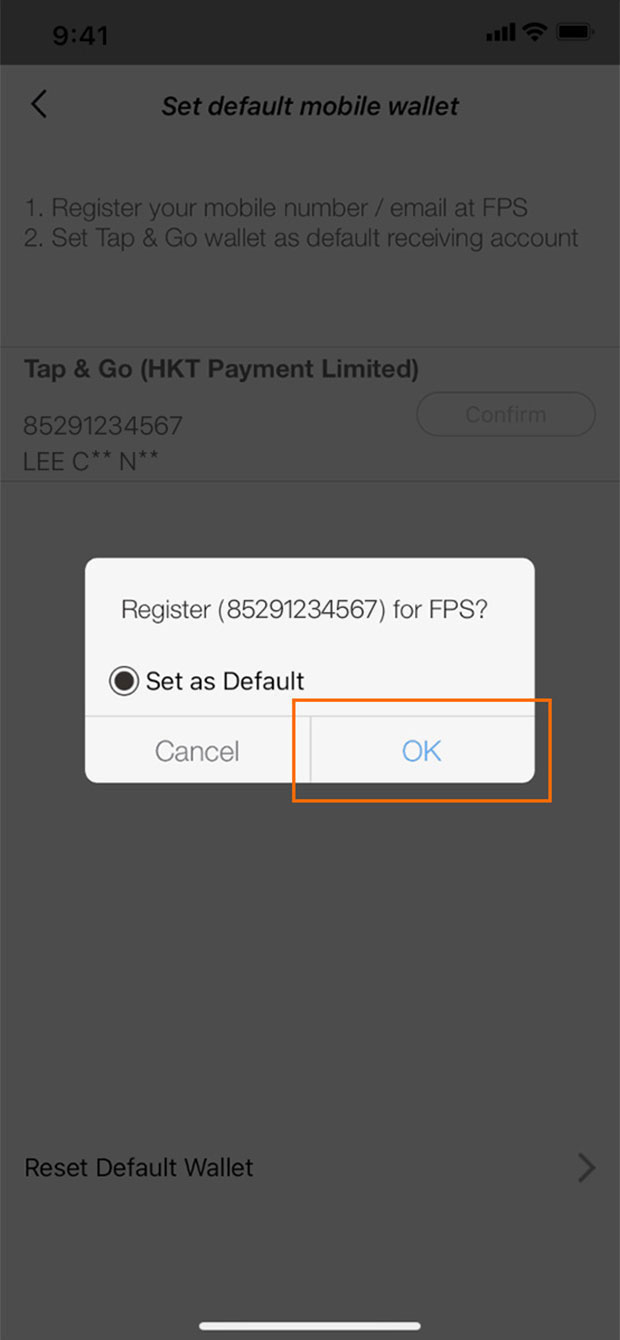
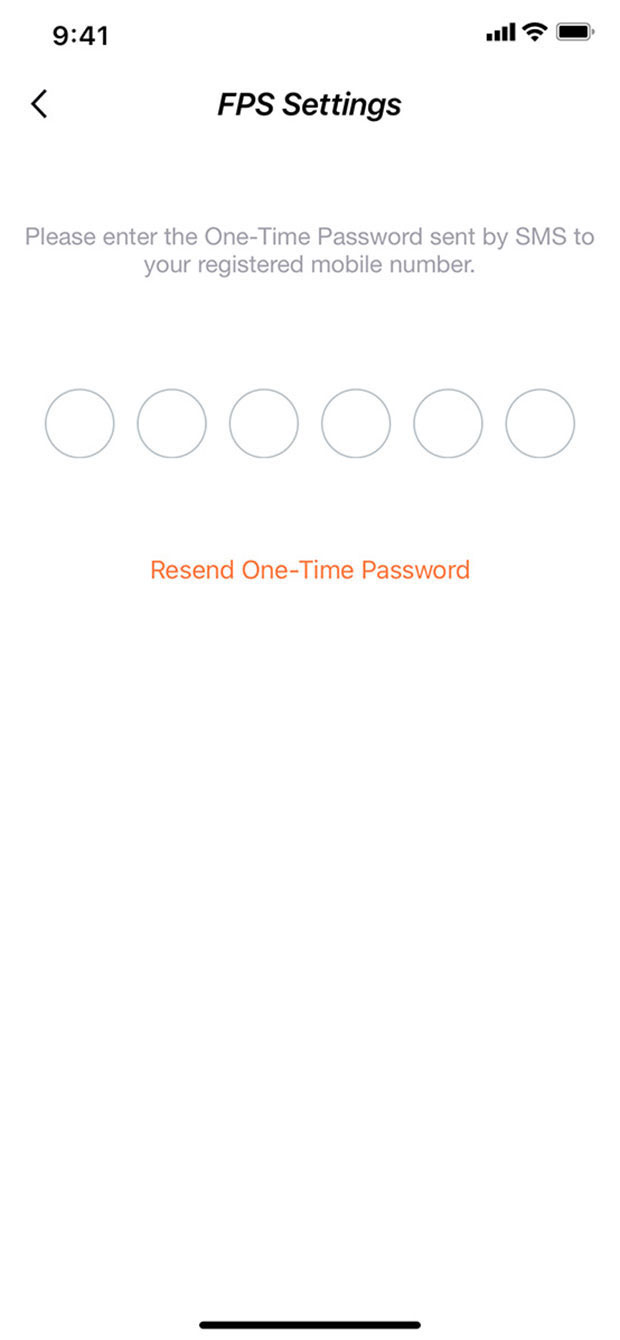
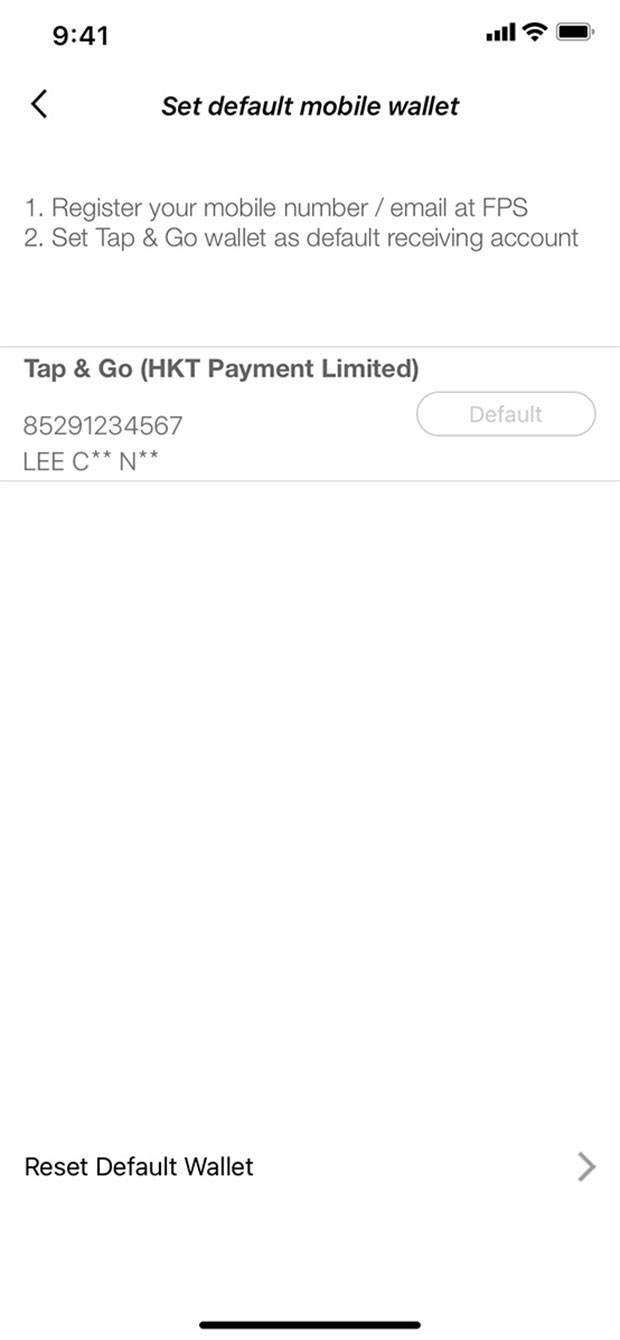
Simulated screen content is for reference only.
2. Top up Tap & Go
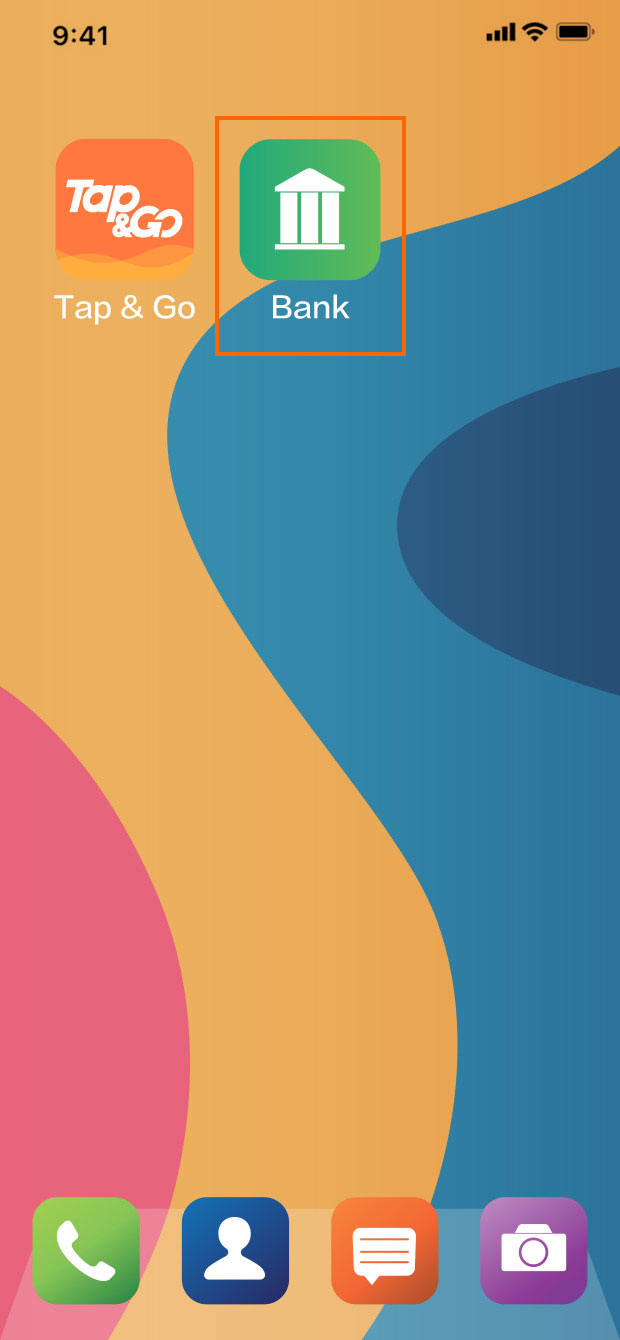
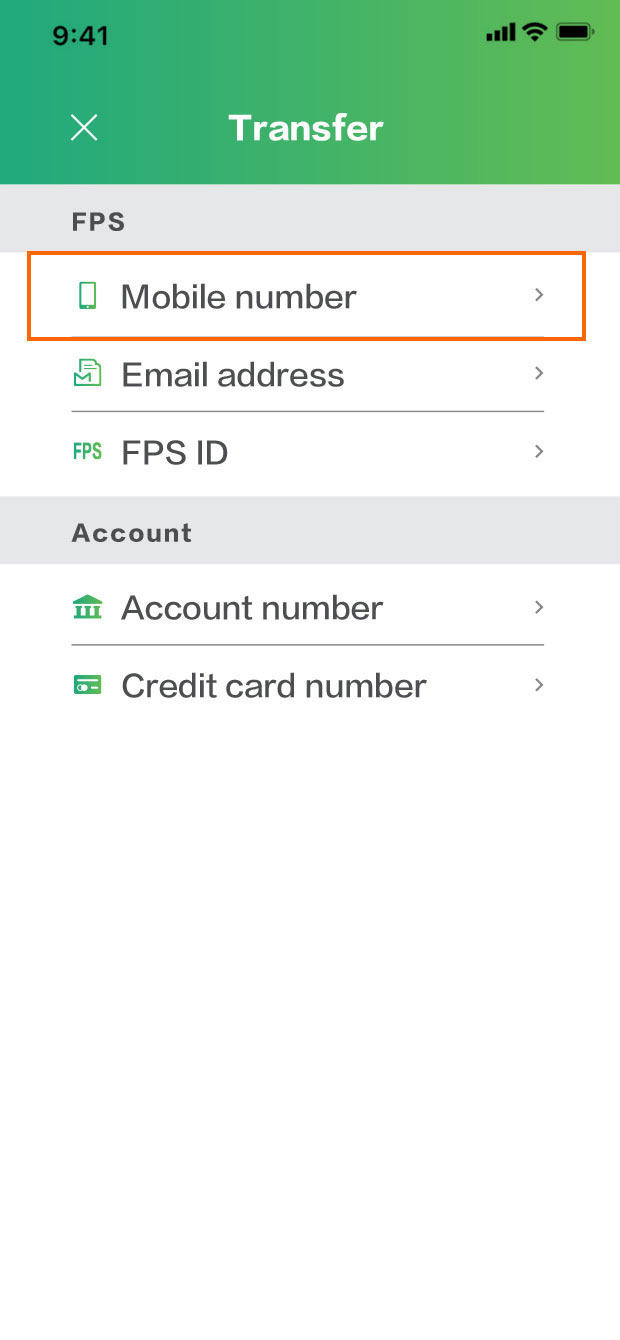

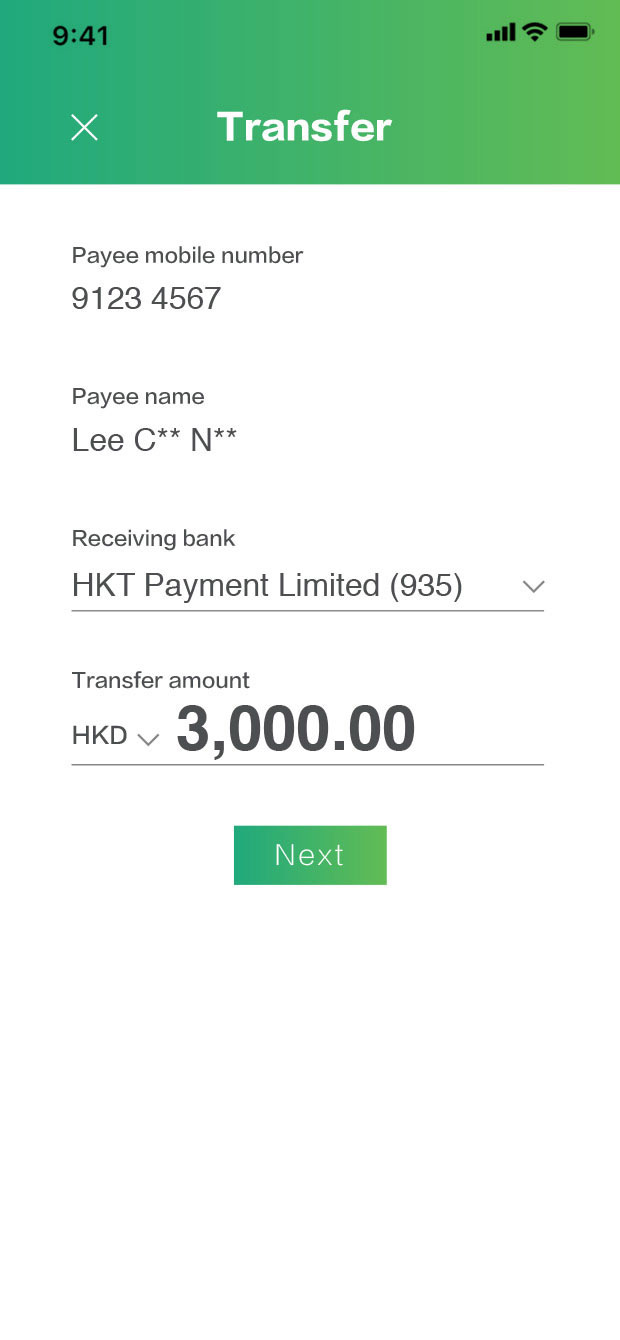
Simulated screen content is for reference only.